TESSA in Action

Digital Asset Management Features

Short videos from the studio, straight out of the product: how your team manages, finds, converts and distributes assets, metadata and product data with TESSA — from the approval workflow through to delivery into the shop.

14-day free trial. No credit card required.

Asset library and metadata

Find your way around

Folders work just like on your computer. Switch between cards, a liquid grid and a table, save the views you need again and again as workspaces, and zoom into any image down to the last pixel — with every detail TESSA knows about the file.

Learn more

Conversion and AI scenes

One product image, every format

Build a recipe once — resize, background, WebP — and every product image comes out in the same format. Generative AI places a product in a whole new scene, and TESSA marks the result as AI-modified.

Learn more

Entities and product data

Model your own data

TESSA manages more than assets. Model products, projects, events or whatever your team works with — created in seconds from an Excel or CSV file, filtered, sorted and exported as CSV just like assets. Link them to their images in both directions, assign images by drag and drop and see linked data right on the image cards.

Learn more

Try TESSA free for 14 days

Your own test account in 30 seconds, no credit card, ends automatically.

TESSA Drive

Your favourite apps, connected to TESSA

TESSA Drive is a small app for your Mac, like Dropbox or OneDrive: it brings your whole TESSA library into the Finder, in the same folders as in TESSA. A file takes up space only once you open it, and once downloaded it works offline, too. Open an image in Photoshop, edit and save it: in TESSA it is up to date right away, with a new version.

Learn more

Bulk editing

Change hundreds of assets at once

Select all and every change applies to the whole selection: rename in one go with a preview of every new name, share each file with an expiring link and copy all links at once. Just as fast with seven hundred images as with seven.

Learn more

Search, filters and AI image search

Find any asset in seconds

Combine any field in the filter panel, with operators and AND/OR logic. And when no file name matches, the AI search understands what is in the picture — from hundreds of assets to exactly the ones you need.

Learn more

Delivery URLs

Image URLs your shop builds itself

Every image gets a URL for your preset, built from three parts: your TESSA address, the asset — by short ID or by folder and file name — and the transformation: the preset name, so TESSA defines the output, or the operations themselves, so your shop decides. Path and preset follow your naming conventions, so your shop builds the URL itself: no asset ID, no extra interface.

Learn more

Collections and media portals

Share a campaign in seconds

Collect images by hand or with a smart filter, publish the collection as a portal with one switch — open or password-protected — and your agency gets your logo, the images and a ZIP download. No account, no software, withdrawn any time.

Learn more

Activity and audit log

Every change on record

See who changed what, and when — on every asset and across your whole workspace. Filter by person, folder and date, open the full history of a single image and export the log as CSV or OCSF for your auditors.

Learn more

Keyboard shortcuts

TESSA without a mouse

Move through results with the arrow keys, rate and mark with number keys, jump anywhere with the Command Center (⌘K) and G-then-A navigation. The question mark lists every shortcut.

Learn more

Visual similarity search

Find what you see

TESSA compares what is in the picture, not file names or tags. From a campaign shot to the product's packshots, and on to similar products for cross-selling — every new upload is analysed automatically.

Learn more

MCP server and AI assistants

TESSA in your AI assistant

An MCP server is a standard interface through which an AI assistant works directly with your systems — and TESSA comes with one. Search, look at details, create collections: all in a conversation, with your access rights. And because PIM, shop or design tool speak the same language, product data, images and the finished shop page come together in one conversation.

Learn more
TESSA BrandHub: brand portal, shown with LAMY

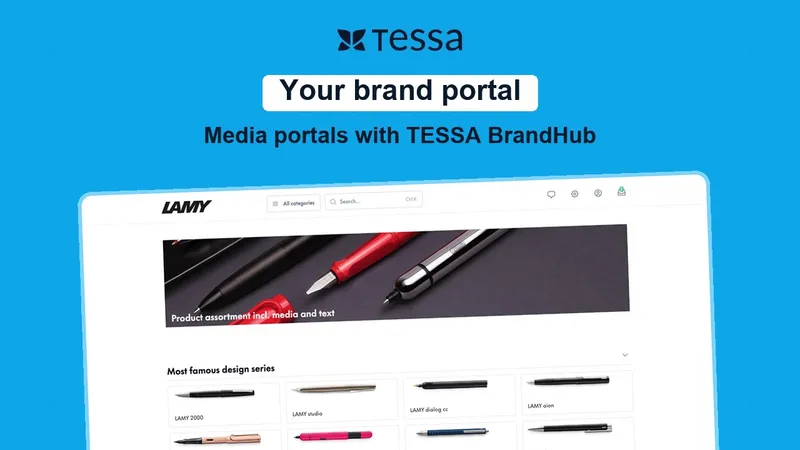
Media portals with TESSA BrandHub

Your brand portal for retailers, press and sales

With TESSA BrandHub you run your media portal in your own corporate design: product data and media for retail partners, journalists and sales teams – no individual requests, always in sync with your DAM and PIM.

Learn more

Scope of functions

What TESSA covers

The videos show single features. This is the full scope, grouped by the job you need it for.

Manage

  • Central asset library with folders as in the file system
  • Card, grid and table views, saveable as workspaces
  • Metadata down to camera and lens data
  • Custom entities for products, projects and events
  • Custom asset fields, for the photographer for instance
  • Import from Excel and CSV, export as CSV
  • Bulk editing across whole selections
  • Renaming with a preview of every new name
  • Versioning on every save from Photoshop

Find

  • Filters across any field with AND/OR logic
  • Operators: equals, contains, does not contain, is empty
  • AI search by image content instead of file name
  • Visual similarity search from the shot to the packshot
  • Automatic analysis of every new upload
  • Ratings and markings as filter criteria
  • Command Center and keyboard navigation

Convert

  • Transformation presets for size, background and format
  • WebP and other web formats
  • AI cut-out
  • Generative AI scenes, marked as AI-modified
  • Result saved as a new asset next to the original

Distribute

  • Delivery URLs that follow your naming conventions
  • Addressing by short ID or by folder and file name
  • Preset or operations right in the URL
  • Share links without sign-in, expiring automatically
  • Collections and smart collections
  • Portals, open or password-protected, in your own corporate design
  • ZIP download for agencies and partners
  • TESSA Drive in the file manager, usable offline

Govern

  • Release before every publication
  • Rights and restrictions per asset
  • Link manager with creator and expiry, revoked in one click
  • Activity history per asset
  • Audit log across the whole workspace
  • Export as CSV or OCSF for your auditors
  • MCP server for AI assistants, with your access rights

Connect

  • Ready-made connections to PIM systems such as Akeneo, Pimcore and ATAMYA
  • Shop integration for Shopware, Shopify and Magento
  • CMS integration for Storyblok, Contentful, WordPress and Contao
  • Delivery through CDNs such as Cloudflare, Akamai and CloudFront
  • Photoshop, InDesign and Illustrator work on the asset directly through TESSA Drive
  • Office integration for Word, Excel and PowerPoint
  • REST API for everything else

Want to know which functions are included in which plan?

Compare plans

Integrations

TESSA fits the systems you already run

Assets come in from the creative tools and go back out to PIM, shop, CMS and CDN. There are 35 ready-made integrations for that, and the REST API for everything else.

Digital Asset Management Life Cycle

Efficient resource management

TESSA supports in the Digital Asset Life Cycle

The Digital Asset Lifecycle helps organizations efficiently manage their digital resources and ensure that they are appropriately handled both during their active use and after their “resting phase”.

Create:
Design, Capture, Classify
Manage:
Review, Comment, Approve
Distribute:
Distribute, Transmit
Retrieve:
Search, Find, Reuse
Archive:
Retain, Discard
Start for free now
TESSA
Create
Manage
Distribute
Retrieve
Archive

TESSA inspires users

What customers value about TESSA

Isabel StehlingIsabel StehlingOnline Marketing Manager, SEVERIN Elektrogeräte GmbH
TESSA has enabled us to digitize and better organize our processes
Nicolas MetzkeNicolas MetzkeCEO, Melvin & Hamilton
TESSA is the perfect link between our creative people and online merchandiser and marketeers.
Myriam BohrMyriam BohrDigital Marketing Manager, C. Josef Lamy GmbH
TESSA the perfect match for our PIM system, Akeneo.
Lea RennerLea RennerHead of Marketing, Positec Germany GmbH
TESSA saves us an enormous amount of time in our daily tasks.

FAQ

Frequently asked questions

Ready to get started?

Built for the future. Available today.

Book a free, personalized demo with one of our experts and try TESSA for yourself.

Book a demo
Patrick Krisch, CEO of EIKONA Media GmbH