


Experience in a live demo how TESSA DAM efficiently manages your digital content.
PIM and DAM: Definition & Comparisons
What is Digital Asset Management (DAM)?
A DAM manages, organizes, and distributes your company's digital media in one central place – images, videos, audio files, documents, and graphics. The goal: make assets easy to find, ensure reusability and security, and manage an asset's entire lifecycle efficiently. Instead of scattering files across hard drives, network drives, and cloud folders, you create one platform where everyone finds the current, approved version.
Core functions of a DAM:
- Central storage of all product- and brand-related assets in one place
- Search & findability via metadata, tags, and AI-based tagging
- Versioning and a traceable history for every asset
- Rights & roles to control access and approvals
- Asset distribution in the right form (size, format) via CDN, FTP, ZIP, and more
For a full definition including how DAM differs from MAM and CMS, see our guide What is Digital Asset Management?.
What is Product Information Management (PIM)?
A PIM is the central system for all product-related information – technical data, descriptions, prices, and references to images and videos. It keeps product data consistent and up to date and distributes it from product development out to every sales channel, B2B or B2C. That makes the PIM the central hub for product master data in your company.
Core functions of a PIM:
- Central database for product master data from development, purchasing, and marketing
- Data enrichment – such as copy, translations, and additional attributes
- Multichannel distribution across e-commerce, print catalogs, and marketplaces
- Integration with DAM, ERP, CRM, CMS, and shop systems
DAM vs PIM: the differences at a glance
Both systems manage information – but differ fundamentally in focus and function. The PIM structures a product's data side, while the DAM handles its media side.
| Criterion | DAM | PIM |
| Focus | Managing digital media | Managing product information |
| Audience | Marketing, creative teams | Product management, sales, marketing |
| Main function | Store, organize, distribute media | Centralize and distribute product data |
| Data type | Images, videos, documents, graphics | Technical data, descriptions, prices, image references |
| Use cases | Catalogs, e-commerce, marketplaces, marketing, branding, advertising | Catalogs, e-commerce, marketplaces |
What PIM and DAM have in common
Despite different priorities, there's clear overlap. Both revolve around product data – in the PIM as attributes (text, numbers, options), in the DAM as files (the assets). In practice that means:
- Both systems work at the product level.
- Both form a single point of truth – the PIM for attributes, the DAM for assets.
- Both let you export targeted product ranges.
Once connected, they push out attribute and asset data in sync and fully automated – more on that below.
When do you need a DAM?
A DAM's use cases go beyond those of a PIM. Some PIM systems can hold simple product assets, but as soon as marketing campaigns, branding, and advertising matter, a DAM alongside the PIM is recommended. It becomes especially important when you work with large volumes of digital media, files come from many sources (many suppliers, photographers, locations), and teams need to access them at the same time.
Want to know right away what's right for you?
Advantages a DAM brings:
- Efficient media management: everything central, easy to find, always the current version
- Consistent branding: ensure all media follow your brand guidelines
- Collaboration: teams work in parallel with current assets – right up to print
- Time savings: faster search and reuse instead of digging through folders
Consider a DAM if you answer "yes" to more than one of these:
- Is branding important to you?
- Do you have many complex products?
- Do your images and assets sit on hard drives or network drives?
- Do you use cloud storage like Dropbox, Google Drive, or OneDrive for assets?
- Do you lose track of files because the folder structure is unclear?
- Do you store assets multiple times in different resolutions?
- Do you often email large files to suppliers, teammates, or customers?
When do you need a PIM?
A PIM is especially valuable when you manage many products with extensive information – above all when data comes from various sources (suppliers, ERP, product development) and needs regular updates. Once that data has to go out across multiple channels and in multiple languages, working with Excel or shop databases becomes error-prone and inefficient.
Advantages a PIM brings:
- Central data management: all product info in one place, easy to update
- Consistency & accuracy: uniform product data across all channels
- Faster time to market: new products published more quickly
- More trust: complete, accurate product info strengthens customer loyalty
Consider a PIM if you answer "yes" to more than one of these:
- Do you have a very large number of products?
- Do customers contact you about missing or incorrect product data?
- Do all departments need consistent, current product data?
- Is your portfolio complex and is the data updated often?
- Does data come from many different sources?
- Do you provide customers with lots of product info for shops or marketplaces?
Combining PIM and DAM: how the two work together
In some situations a PIM is enough, in others a DAM. But the systems reach their full potential together – well aligned. Without a connection to a PIM, no product data would be available for assets automatically; it would all have to be entered by hand. Only together do data and media become one continuous process.
Data exchange via API – the article number as the key
For PIM and DAM to work together, they need to exchange data. This happens via an API, an interface for automated syncing. The DAM needs to know which product an asset belongs to – and the PIM which assets exist for a product. The key is usually the article number stored in the asset's data, so everything stays clearly linked even at scale. With TESSA DAM this runs through a dedicated API with the Akeneo PIM.
Exporting assets in the right format
This is where the DAM shines. Imagine producing a glossy catalog while running a web shop at the same time. Print needs large 300 dpi images, possibly as TIFF for color management; the website only needs smaller JPEGs. Through a DAM's channels, the system handles the conversion on its own and, if you like, places the files straight onto a CDN. With a PIM alone, that would be far more work.
Selecting data is just as flexible: you rarely ship everything – often it's about specific ranges or sub-ranges, for example because a customer sends a product list. With the range defined in the PIM, the DAM delivers the matching assets in the desired form – as a ZIP download with matching file names or as a table with individual download links. Populating standard exchange formats like ETIM also works best with a well-aligned PIM-and-DAM duo.
Update processes and the single point of truth
Want to update an image? Replace it once in the DAM – and it's brought up to date everywhere it's linked. With the PIM you have a single point of truth for attributes, and with the DAM one for assets. Silos disappear, and everyone knows where current, valid data lives. The prerequisite is clean interplay: when something changes in the DAM, the PIM needs to know fast – and vice versa. If needed, the recipients of your data can even be notified of updates automatically.
Decision guide: PIM, DAM, or both?
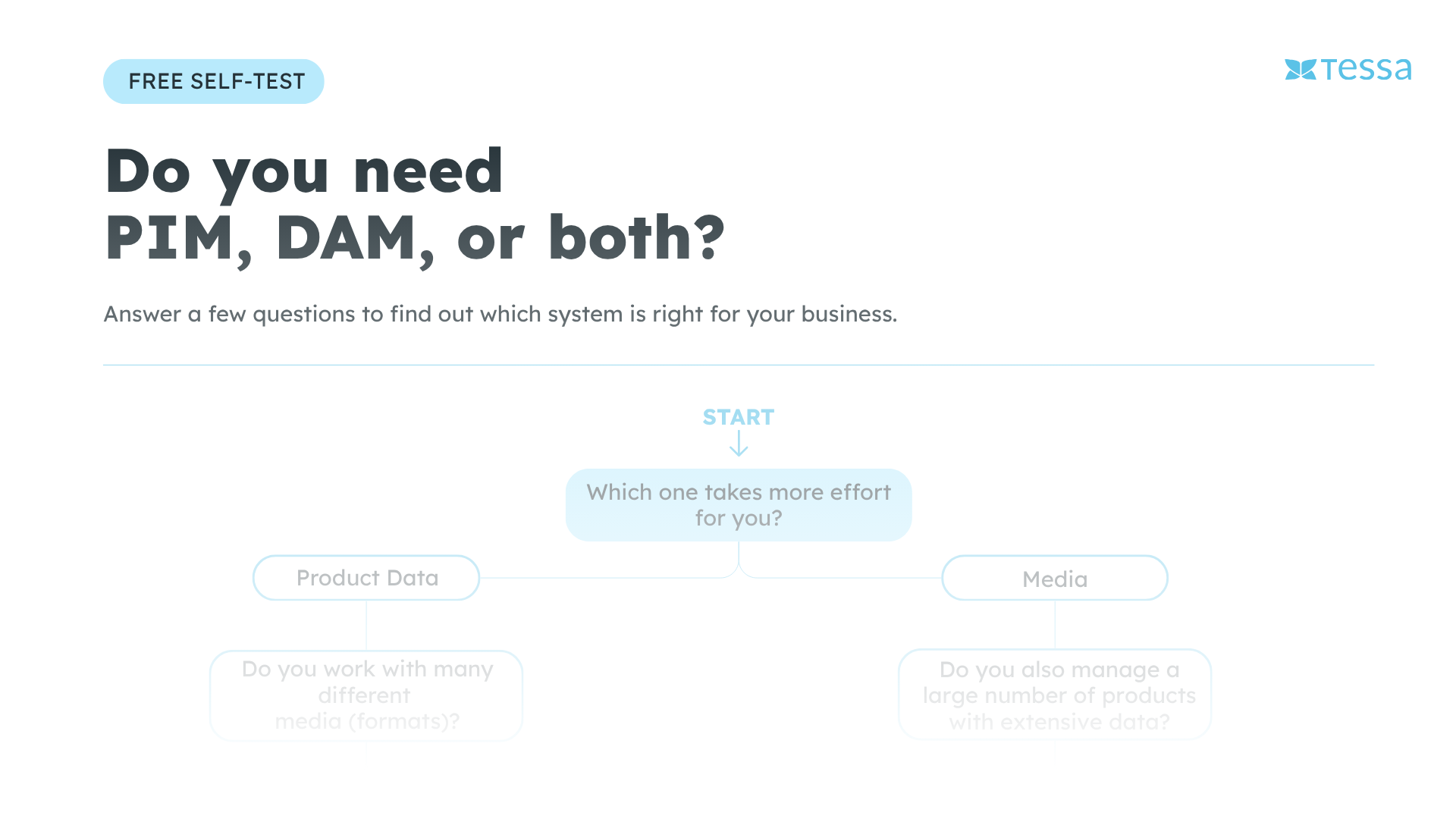
Whether you need PIM, DAM, or both depends on where your biggest workload lies and how closely product data and media are intertwined. The more products you have and the more assets per product the more likely you’ll need both systems.
Take the free self-test and find out what’s right for you in just a few questions.
Conclusion
Complementary tools for modern companies
PIM and DAM pursue different priorities: the PIM structures product data, the DAM manages the associated media. Both form a single point of truth and can be scoped to product ranges. On their own, each solves a clear problem – connected via API, they push out attributes and assets in sync, automate media production, and shorten time to market. For companies with many products, many assets, or high branding demands, the two together are the optimal solution. Unsure what you need? Get in touch or experience TESSA in a free demo.


